AfonsoMartins
Product Designer / Student
Based in Stockholm, Sweden
Contact / CV


Infinite scrolling, a widely used design feature in social media and digital platforms, encourages prolonged and often mindless engagement, leading users to lose their sense of agency over their attention.
While existing interventions, such as screen time limits, attempt to address this issue, they often disrupt the user experience rather than seamlessly integrating into it.


Infinite scrolling is now ubiquitous across major social media platforms, but this design pattern is linked to mindless scrolling, high levels of user regret, and a psychological state called "normative dissociation", where people lose track of time and their sense of control over their own attention.
While research confirms that infinite scrolling acts as a form of deceptive design deliberately crafted to maximize engagement, existing solutions like screen-time limits and app blockers are external, abrupt interventions that users find frustrating and easy to bypass.
The core problem is that no prior research has effectively explored how to modify infinite scrolling itself, redesigning it from within, to reduce mindless consumption and restore user agency without sacrificing the satisfaction and fluidity that makes the pattern appealing in the first place.
In light of this, I believe a design solution is needed to mitigate mindless scrolling and dissociative states, especially in social media applications.
I propose a modified framework for the infinite scrolling mechanism, integrating subtle design frictions to gently encourage users to regain control over their attention without unduly disrupting their experience.
This feature could be integrated into the operating system itself, acting as a universal framework for infinite scrolling, similar to the scroll bounce effect in iOS and Android.
This would ensure a consistent user experience across all apps, with the option to disable it in the OS settings.
This is a high-fidelity prototype of a redesigned version of the social media app “X”. Incorporating this type of scroll friction.
Suppose the user has been scrolling for the last 15 minutes
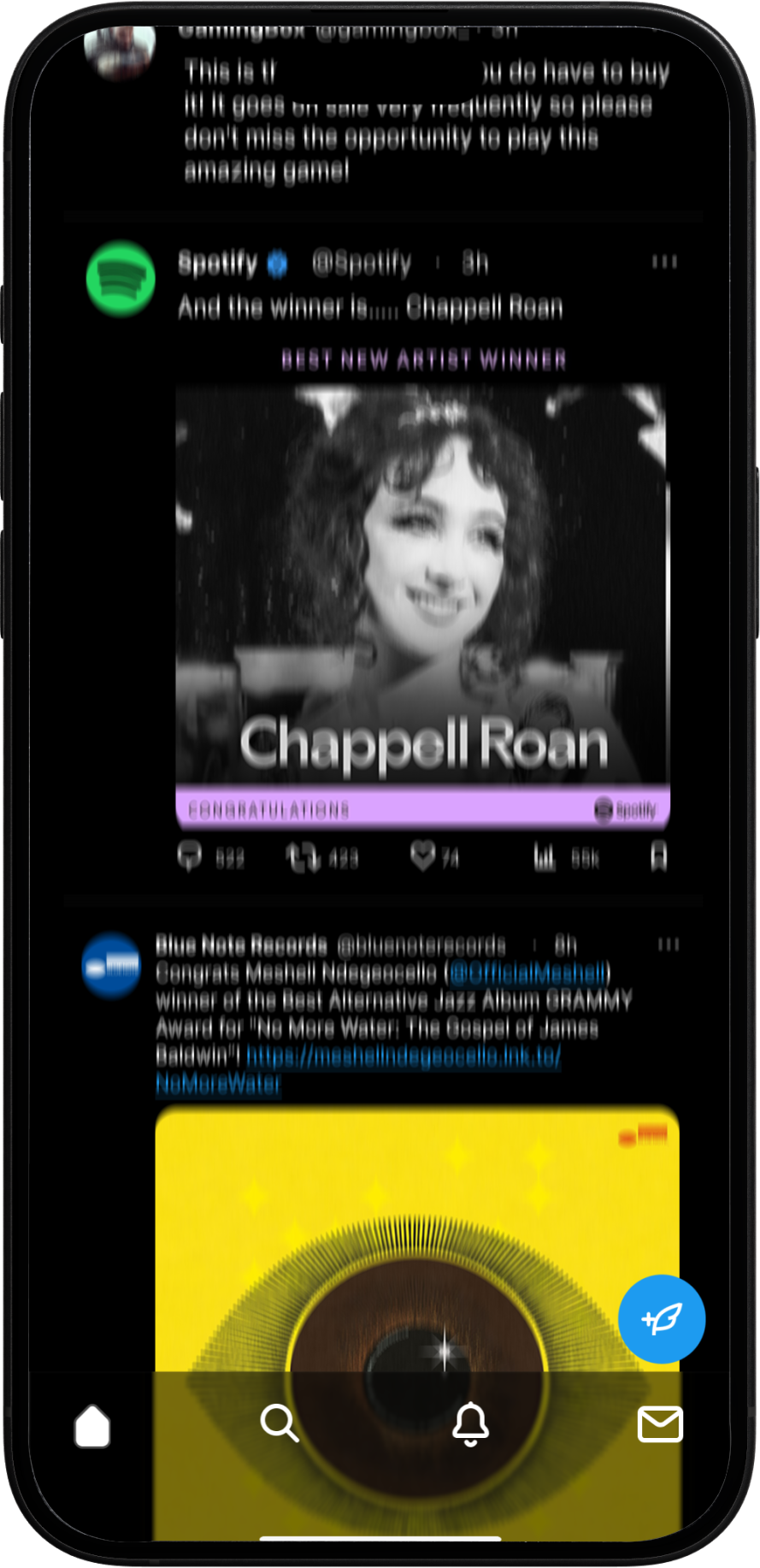


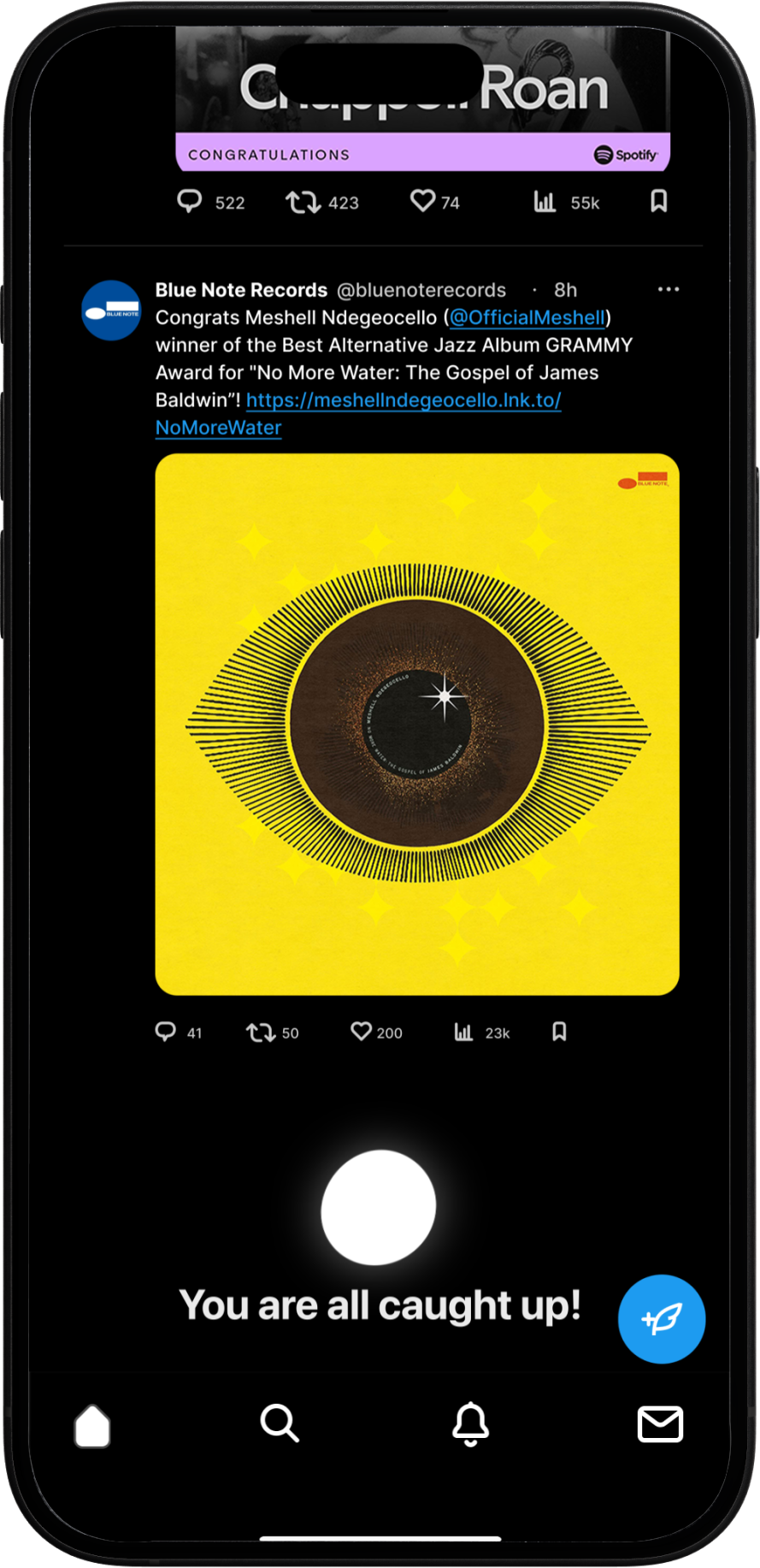
Rather than interrupting the user with a deliberately frustrating screen to break their scrolling-induced dissociation, the same principle can be implemented in a far more elegant and seamless manner.
The dynamic content loading itself would cease after the timer gets triggered, effectively disrupting the infinite scroll. With no new data being fetched from the server, the fear of missing out that perpetuates compulsive scrolling is reduced, allowing users to regain awareness of their attention without significantly disrupting the overall experience.
When the user chooses to bypass the scroll lock, they can scroll upward and hold for approximately 4 seconds. This action removes the lock, restores normal scrolling, and resets the timer.
The 4-second hold acts as an intentional friction, giving the user time to regain awareness of their attention and consciously decide whether to exit the application or continue engaging with the already loaded content more deliberately.
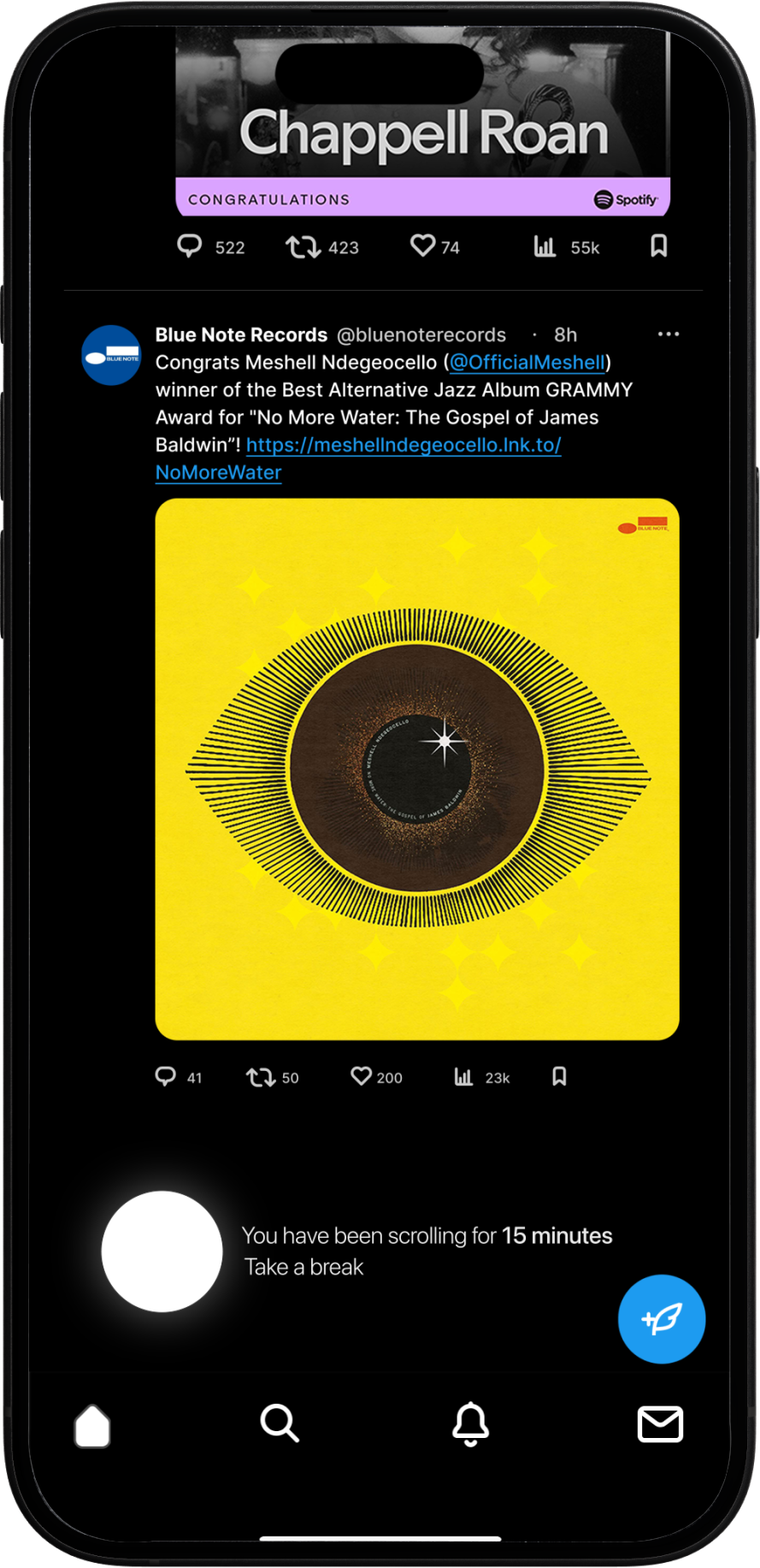
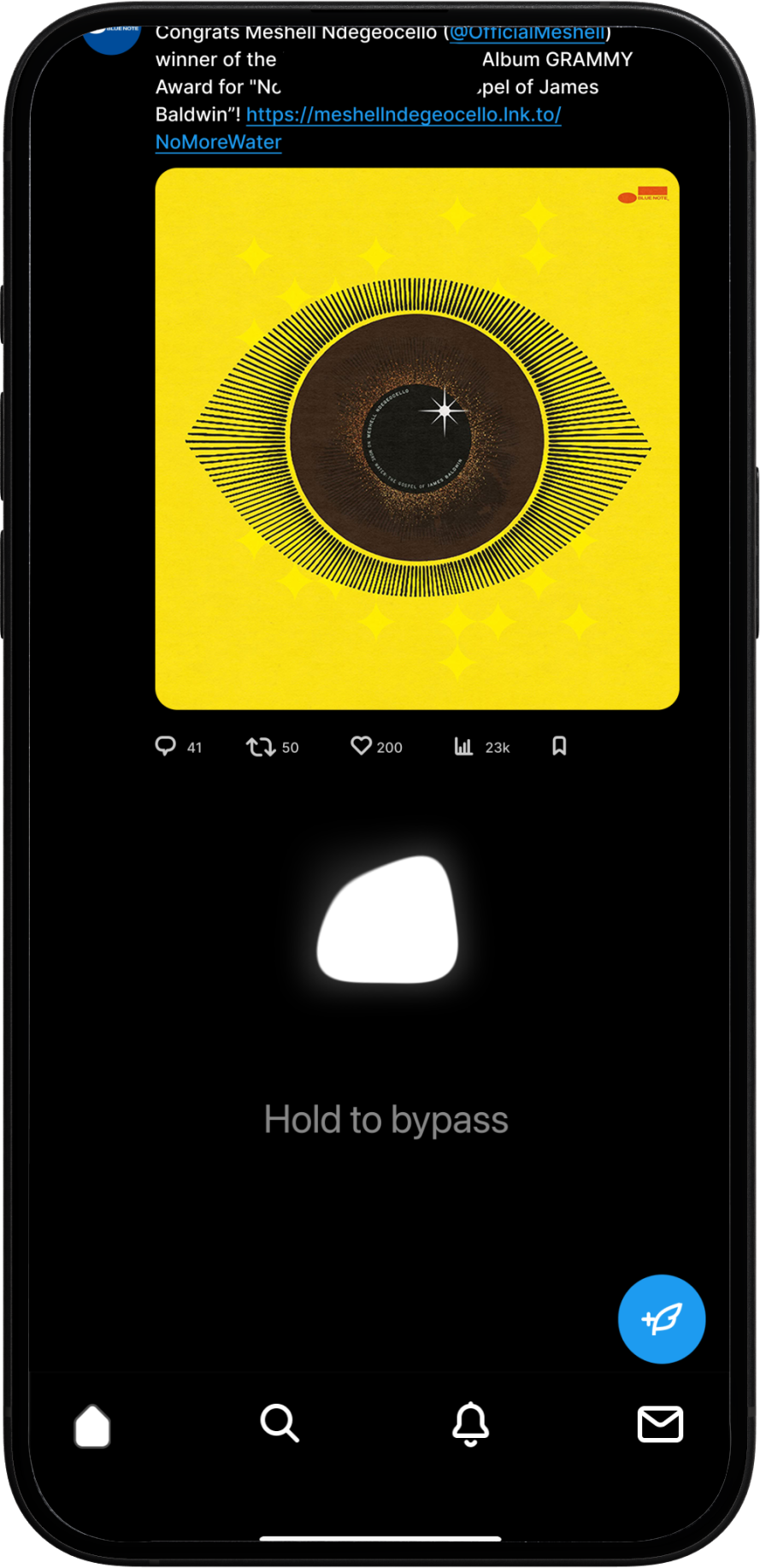
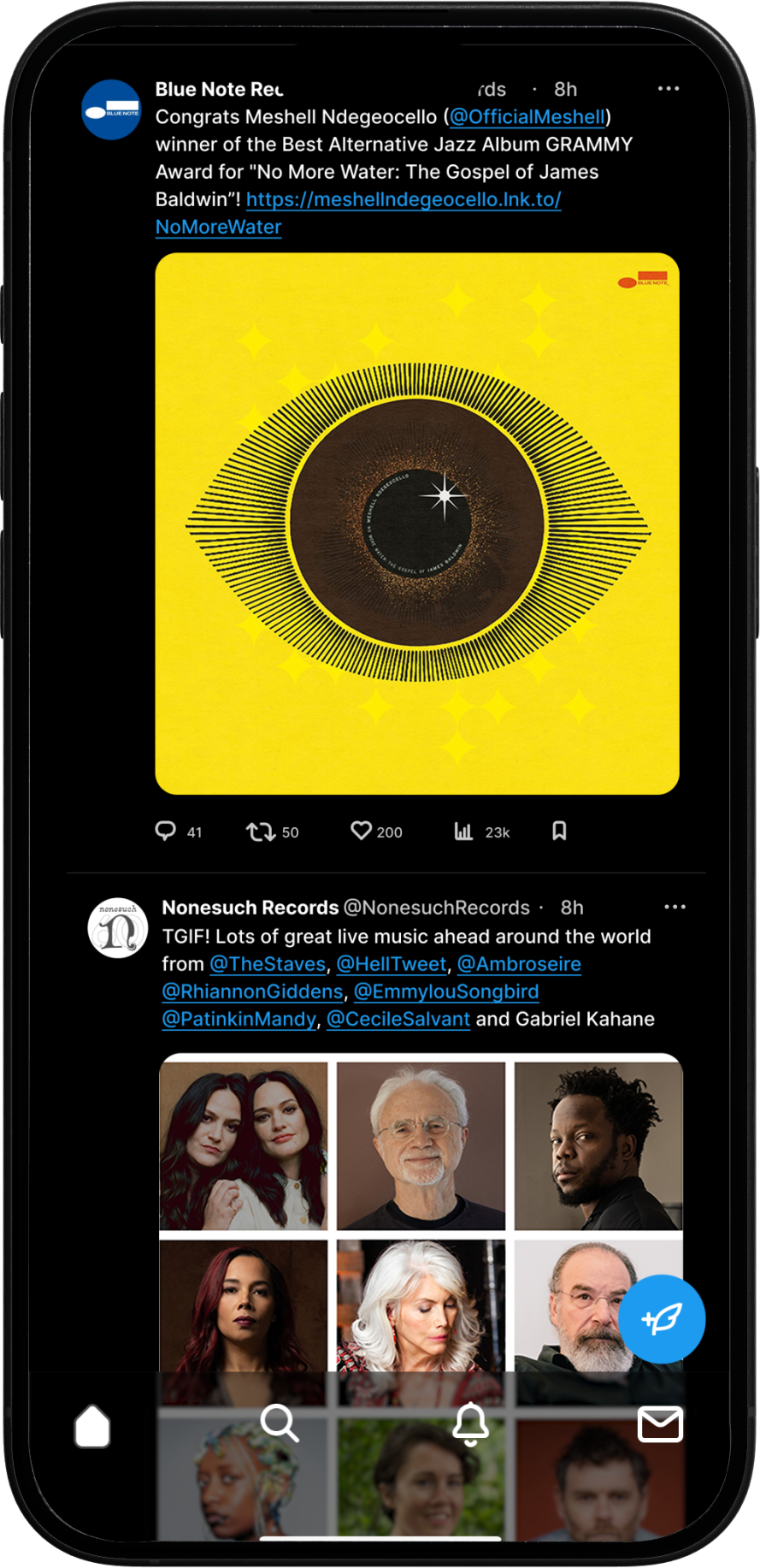
When the scroll break activates, it displays insights into the user’s scrolling behaviour, including how long they have been scrolling in the current application.
Long-pressing the "orb" opens additional settings, allowing the user to customise this feature for a more personalised experience, balancing mindfulness with minimal design friction.
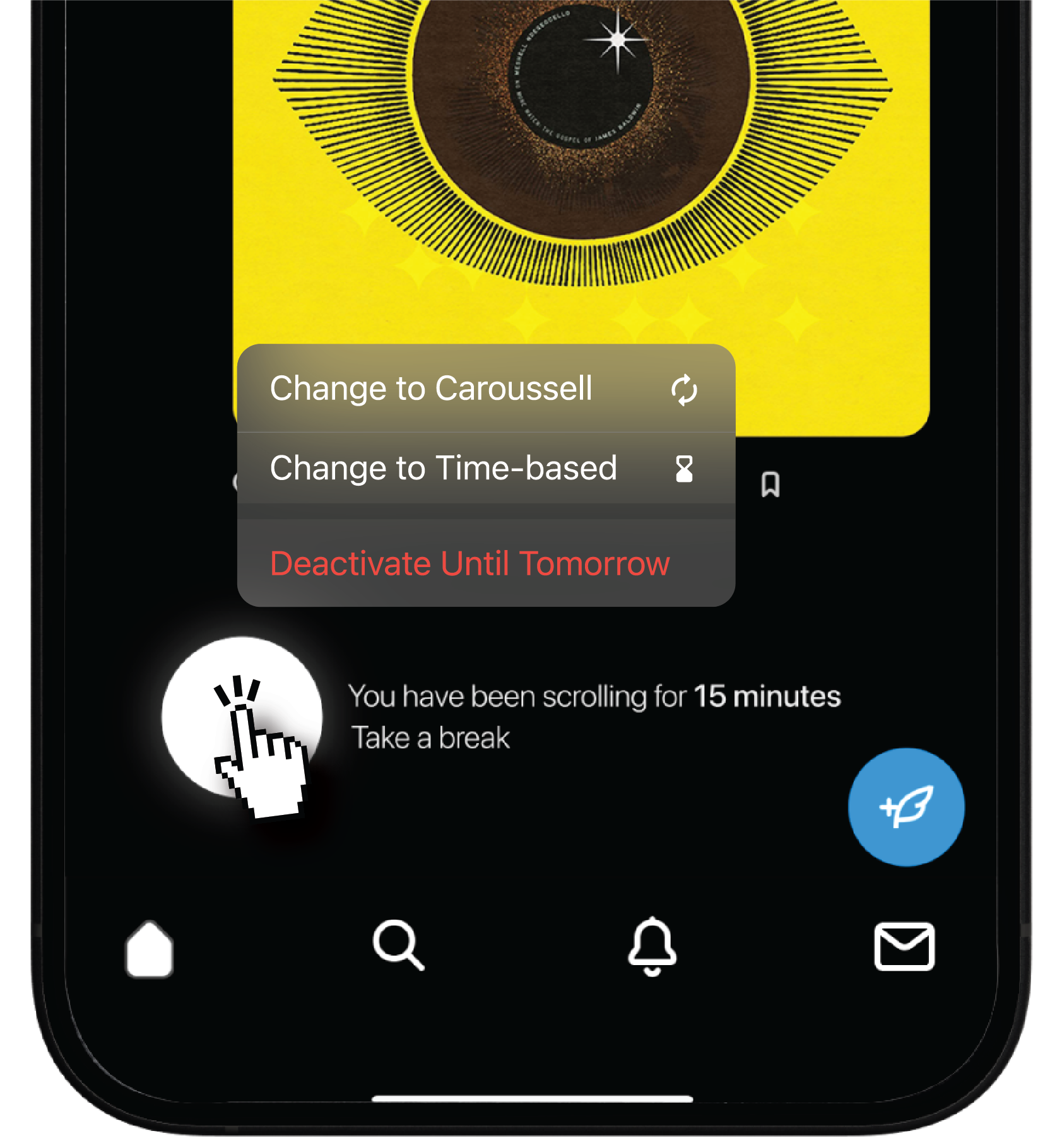
Through a long press on the orb, users can access additional options that let them switch between two scrolling behaviors and two trigger types.
The scrolling behavior defines how the break affects content fetching from the server: it can either pause scrolling completely or use a carousel-style repetition of content to reduce the compulsive desire for new information.
The trigger type determines the condition that activates the break, either based on a timer or a predefined maximum amount of content consumed.
A standard infinite scroll where, once the constraint trigger activates, the system stops fetching new content from the server.
A dynamic block then appears, signaling the user that they’re all caught up.

A carousel-like infinite scroll where, once the constraint trigger activates, the system stops fetching new content and begins repeating previous posts in order.
A dynamic block informs the user they’re caught up and that content will repeat for 15 minutes. Holding the block bypasses this restriction.

A standard infinite scrolling experience with a 15-minute timer. Once the timer is triggered, instead of fetching more content from the server, the page will display the dynamic block at the end of the page, subtly prompting the user to pause and collect himself. Letting them know they’re all caught up.

A content-based trigger using a background scoring system that assigns values to text, images, and videos. Once the user depletes their “attention credits,” a dynamic end-of-page block interrupts scrolling. As always, a firm swipe up overrides the restriction, resetting the score.

During the design process, drawing the primary user flows helped clarify its core purpose and how to strike the right balance between mindfulness and a smooth, unobtrusive user experience.
Once more, the goal was to reduce the effects of doomscrolling by adding design frictions without introducing frustration for the user.

This flow details the system behavior when the feature operates under its default 15-minute timer configuration
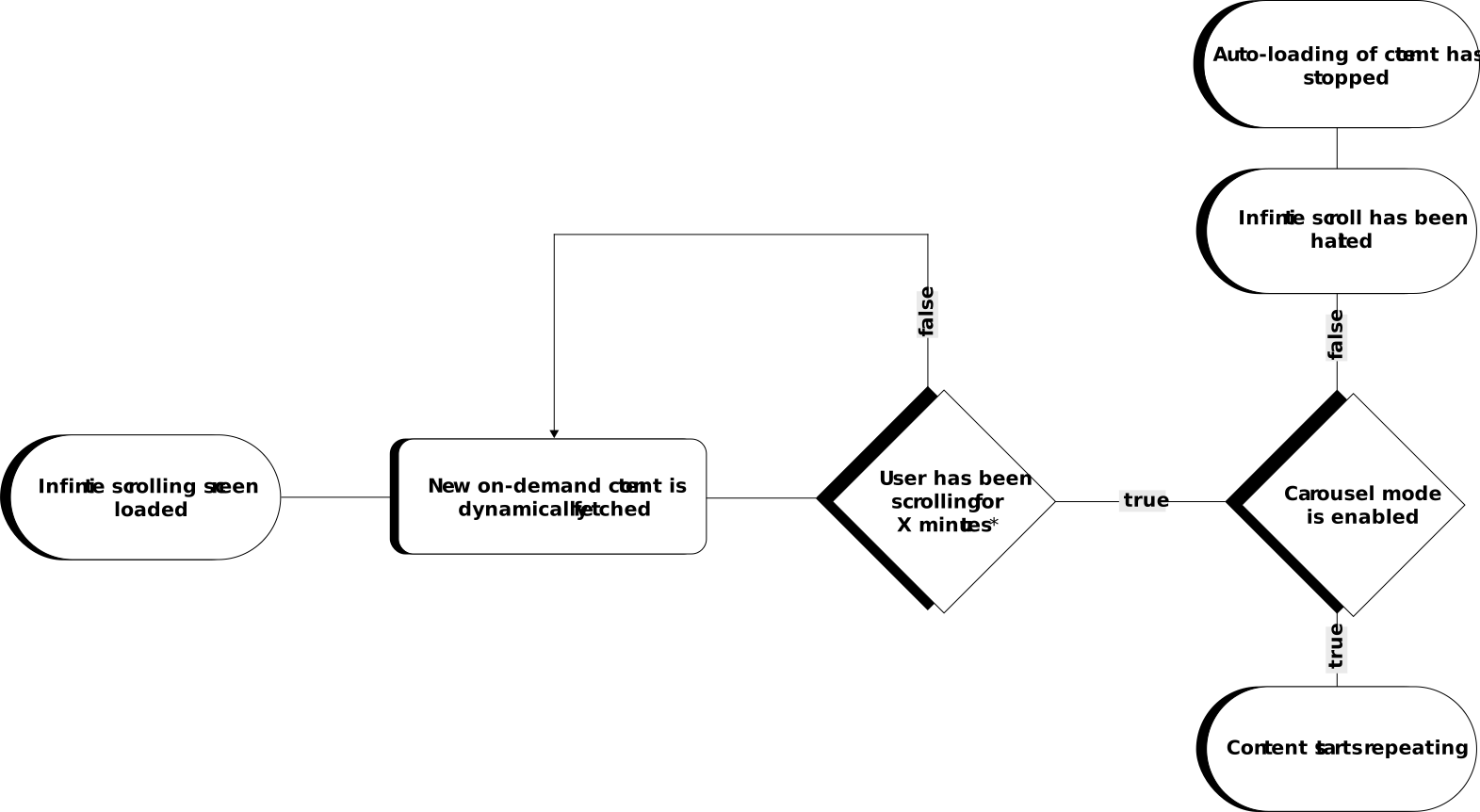
This flow details the system behavior when the feature operates under it's content trigger algorithm
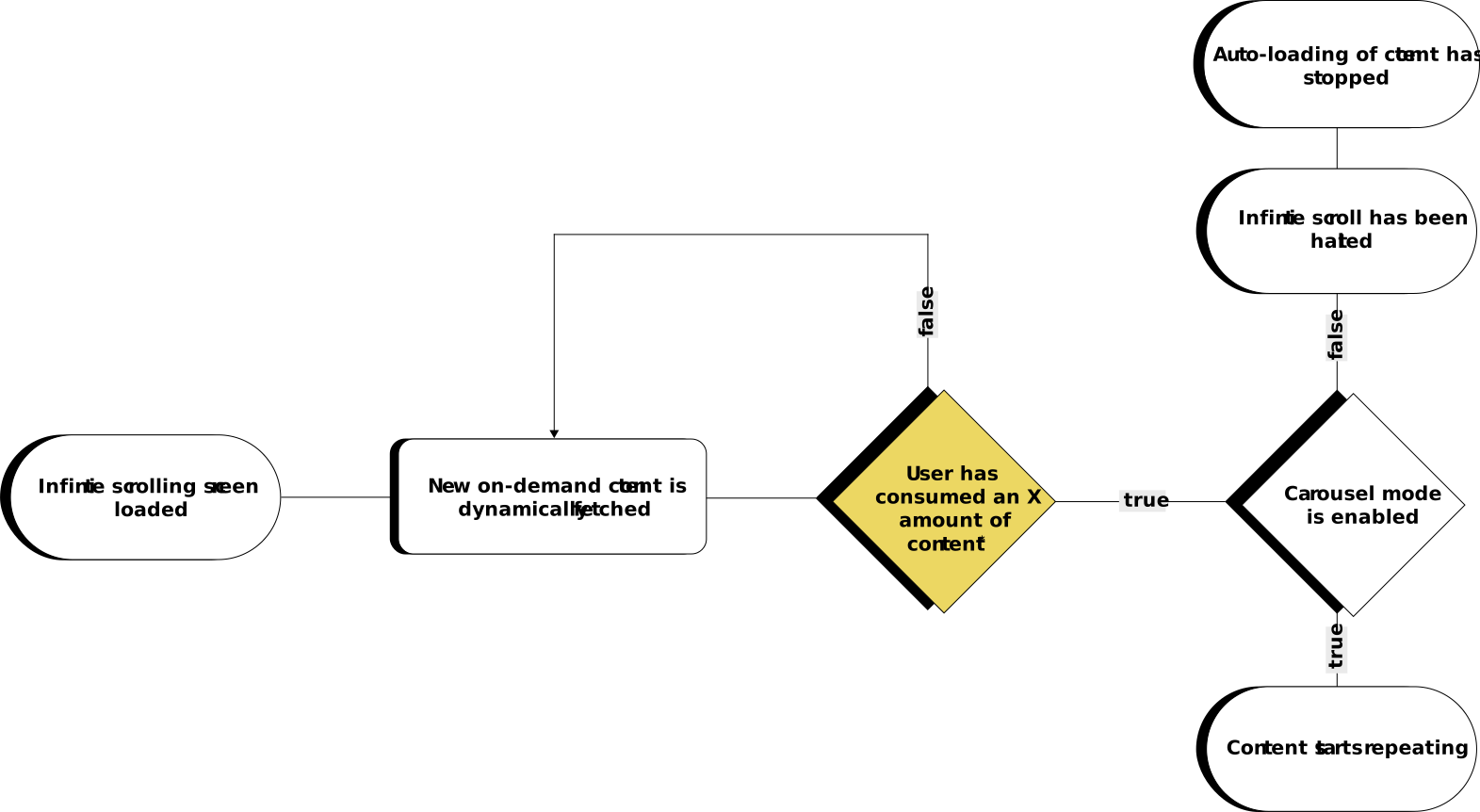

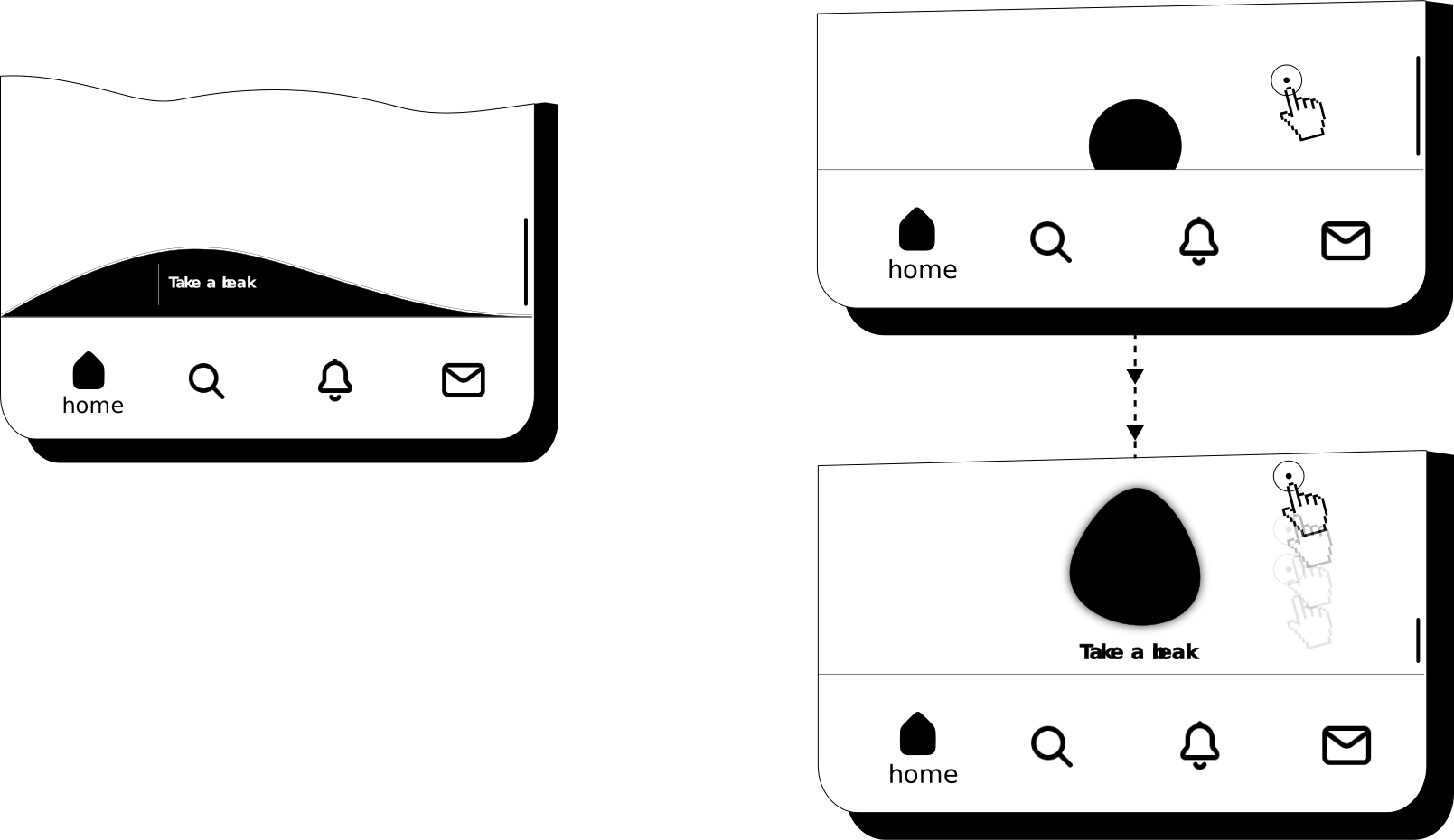
The initial stages of designing a scroll friction or break that can be easily implemented across any operating system or application
In the early stages, much of my focus was on developing an interactive method to nudge the user during their scrolling session, in a way that made the act of scrolling itself part of the user’s awareness.
An essential part of the design was introducing a section within the scrolling page that informs the user in a way that feels part of the natural scrolling flow, as opposed to a full-screen message that abruptly interrupts and overwhelms them.
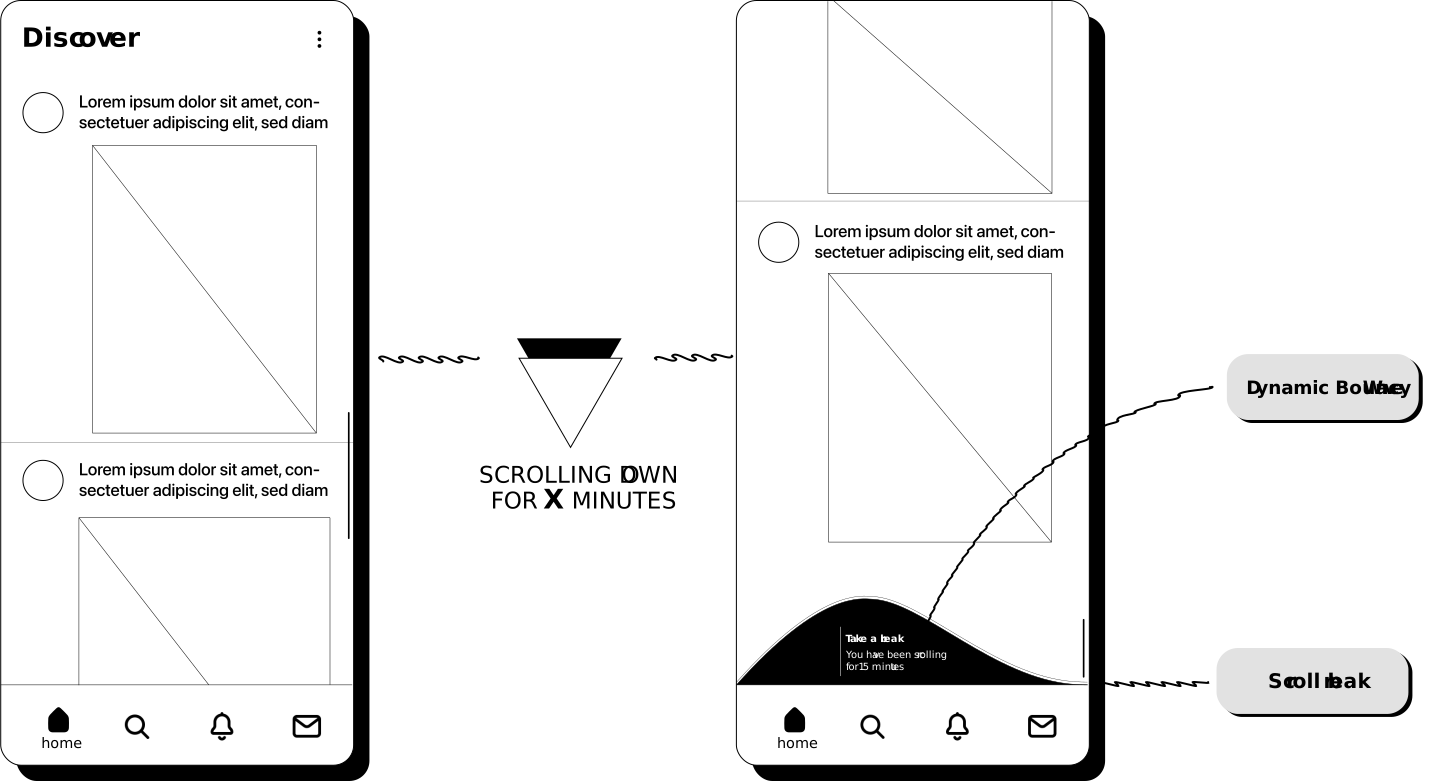
Scrolling sections should seamlessly respond to the natural flow of the page, allowing the user’s instinctive tendency to continue scrolling to gradually reveal additional information about the scroll break, including metrics from the current section.
Furthermore, the design must communicate that the scroll break is optional. Should the user persist in scrolling upward, a visual cue should appear to indicate that the break can be bypassed.
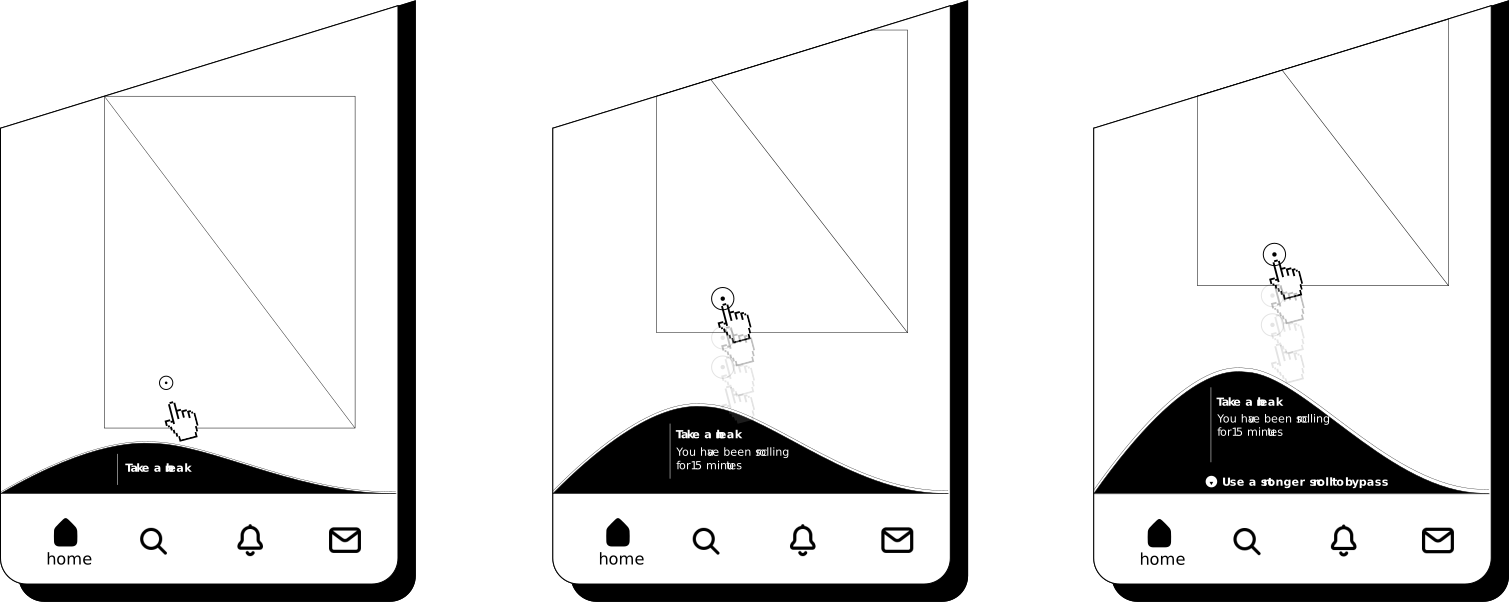
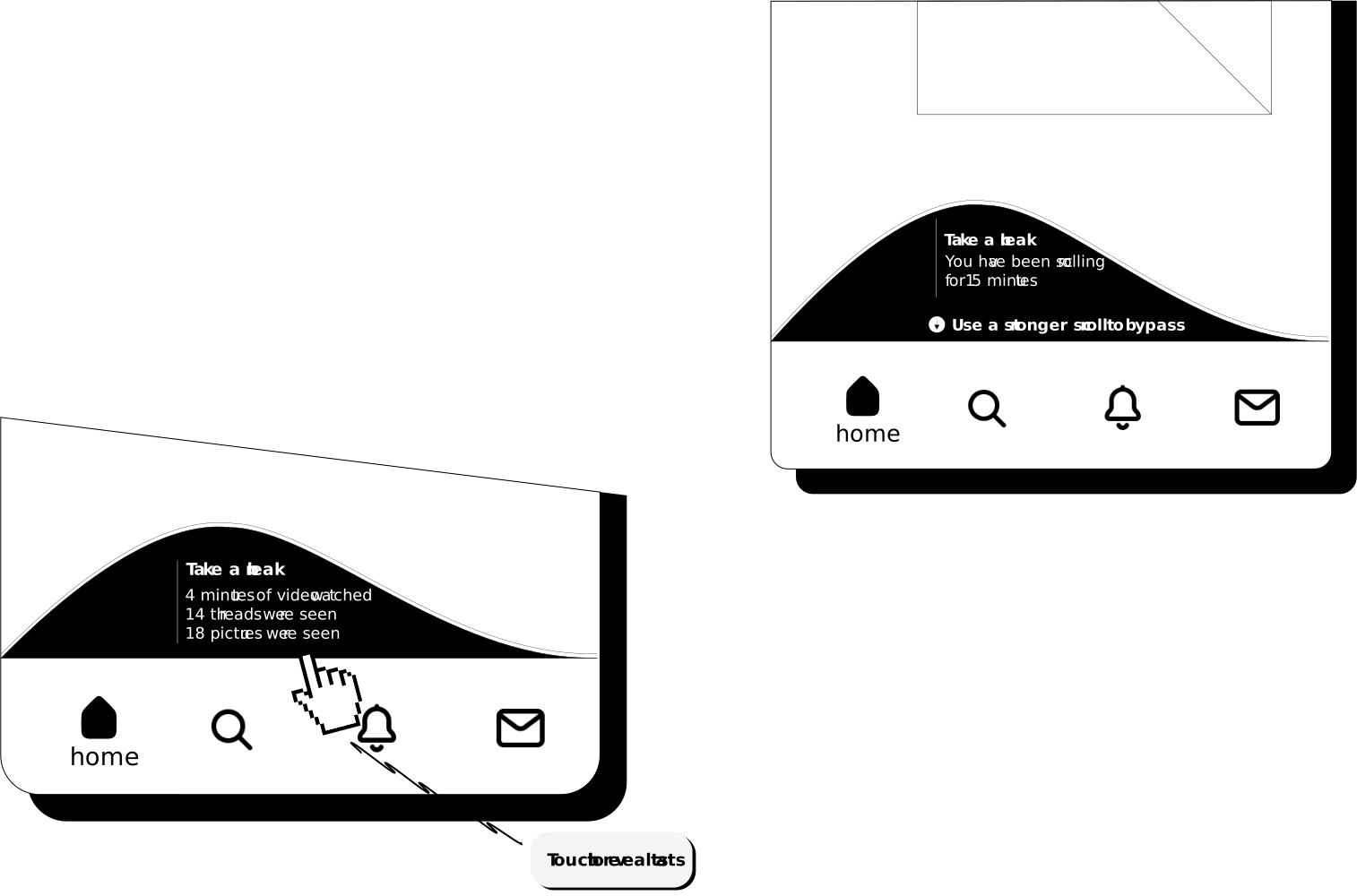
During the early design phase, I experimented with a “dynamic wave” extending across the horizontal viewport, intended to react in real time to the user’s interactions. After multiple iterations, I shifted to a round orb that gently encourages the user to pause their current scrolling section.
Similarly, the orb serves as an interactive scroll break, adapting to the user’s scrolling behavior. When the user attempts to override the break by scrolling forcefully, the orb deforms subtly, signaling resistance until the break is ultimately bypassed.

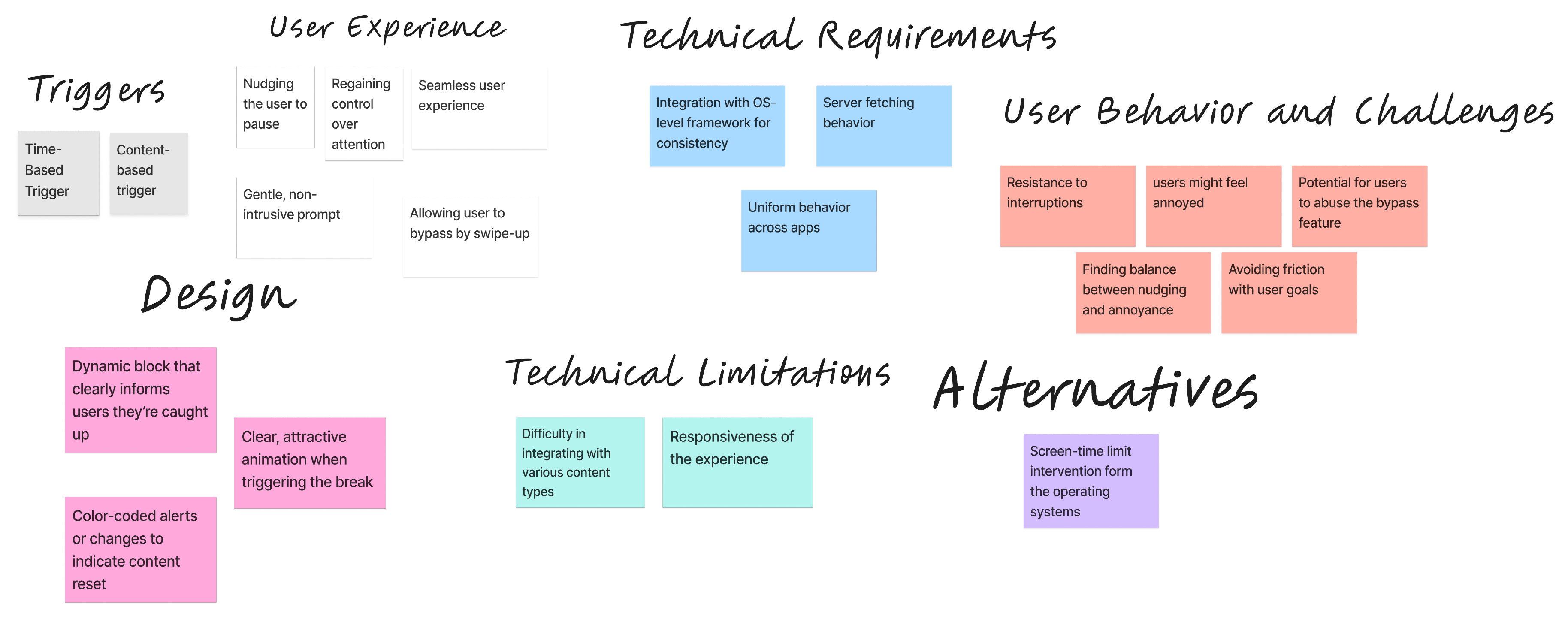
Prior to wireframing, this design objective was mapped and analyzed using affinity mapping
The affinity mapping drew heavily on a comprehensive review of HCI research, which documented the impact of extended scrolling sessions on users, such as mild dissociation and FoMO, and investigated the effectiveness of different design friction strategies in mitigating these effects.
These insights directly informed the mapping process, providing a research-based foundation for identifying critical points where interventions could enhance user awareness and promote healthier interaction patterns.